
AI hosting means using the right infrastructure to power AI tools like website builders, chatbots, log analysis, and branding helpers. This guide explains how VPS, dedicated servers, and private cloud support different workloads, plus the performance, reliability, and security settings that matter most. With real-world rollouts and key considerations, you’ll learn how to deploy AI features without slowing down your site or losing trust. Hosting ties everything together, making AI practical, predictable, and profitable for growing businesses.
AI isn’t an experiment anymore. It powers the way you answer questions, design pages, analyze logs, and keep your brand consistent. But AI doesn’t run in a vacuum. It runs on hosting. This includes servers, storage, and networks that make the magic feel instant to your users. If your hosting is slow or unstable, your AI tools will look the same.
This guide gives you a practical path to plan, launch, and scale AI on hosting that’s built for business. You’ll see where website builders fit, how WordPress chatbots stay fast and trustworthy, why AI log analysis matters, and how AI can support branding without losing your style. You’ll also learn how to choose the right plan, plus the day-one settings that keep your site quick and secure.
We’ll begin with the basics of what AI hosting means, then dive into each use case step by step. By the end, you’ll have a complete roadmap to match AI tools with the right infrastructure. Each section builds on the last, so let’s start with a clear definition.
What Is AI Hosting?
AI hosting is the infrastructure you use to run AI-powered features and apps, from chatbots to website builders and log analysis tools. It covers both light and heavy workloads, from automated design to GPU-driven model training.
Not every AI workload requires advanced hardware. Many tools depend on NVMe storage, caching, and uptime rather than GPUs. The main takeaway is that hosting determines how reliable and responsive your AI features feel to users.
With this foundation set, we can now look at real-world applications. The first and most common example is AI website builders, which change how businesses launch online.
AI Website Builders and Site Generation
One of the clearest ways to see AI hosting in action is through website creation. AI website builders can take a process that normally takes weeks and shrink it to hours. When paired with hosting optimized for speed and reliability, these builders deliver sites that launch quickly and perform well from day one.
One of the clearest ways to see AI hosting in action is through website creation. AI website builders can take a process that normally takes weeks and shrink it to hours. To get the most from these tools, you’ll want to prepare your brand details, ICP notes, and content goals ahead of time (see our full AI Website Builder guide for a deeper checklist). Hosting then supports your builder by providing:
NVMe storage for fast reads
HTTP/2 or HTTP/3 for faster delivery
Caching layers at app, server, and CDN levels
Once the builder generates your site, optimized hosting ensures visitors experience it without lag. When your site is ready, the focus shifts from speed of creation to maintaining ongoing performance and reliability.
Visitors expect pages to load in seconds, forms to respond instantly, and checkout flows to work without error. To meet those expectations, the next step is using AI to power customer conversations directly on your site.
AI Chatbots for WordPress: Support Without Losing Trust
Once your site is online, customers expect answers right away. AI chatbots help you provide support, but most don’t run directly on your hosting account. Instead, they connect securely to third-party AI services through API keys. Your hosting ensures those requests are delivered quickly and reliably, keeping chatbots responsive without overloading your server.
The right hosting setup keeps chatbots responsive and accurate (explored further in our AI Chatbots for WordPress guide).
Cache Most Pages, but Bypass Cache for Chatbot Routes
Most of your WordPress pages should be cached for speed, but chatbot endpoints must bypass cache. This ensures responses are fresh and interactive instead of stale or delayed.
Keep Latency Low Between Your Server and the Model Endpoint
Chatbots depend on a quick round-trip to their model source. Hosting close to your AI service reduces lag and helps customers feel like they’re chatting in real time.
Set Rate Limits and Timeouts to Avoid Resource Hogging
Without limits, traffic spikes or bad inputs can overwhelm your site. Rate limits and sensible timeouts protect both server performance and user experience.
Log Responsibly, Without Storing Personal or Sensitive Data
Logging chatbot conversations is useful for debugging and improvement, but storing sensitive data creates risks. Always redact or avoid logging personal information to maintain trust and compliance.
A good chatbot reduces support tickets and builds confidence, while a poor one causes friction. Hosting acts as the foundation that keeps the good scenario in place. Once you have chatbots covered, it’s time to look deeper at how AI can help you manage the hosting itself through log analysis.
VPS, Dedicated, or Private Cloud: Choosing the Right Path
Branding creates recognition, but scaling requires infrastructure choices. AI workloads differ in resource needs, so choosing the right hosting type is critical. VPS, dedicated servers, and private cloud each fit different stages of growth.
VPS hosting: best for chatbots, AI content helpers, or log shippers.
Dedicated servers: useful for multiple AI apps, APIs, or custom data pipelines.
Private cloud: necessary for GPU workloads, strict data isolation, or multi-team scaling.
The right fit avoids both overspending and underperformance. With your hosting type selected, the next focus is practical deployment patterns.
Architecture Patterns That Work
After choosing your hosting type, deployment patterns make the difference between smooth launches and repeated issues. Clear patterns give you templates to copy and adapt. Hosting provides the foundation; AI fills in the intelligence.
Pattern A: AI-ready WordPress with a chatbot
WordPress on NVMe VPS
Redis object cache + page cache
Nginx reverse proxy
Chatbot served from /chat via Node or Python service
Nginx example:
location /chat/ {
proxy_pass http://localhost:8080;
proxy_set_header Host $host;
proxy_read_timeout 30s;
add_header Cache-Control “no-store”;
}
Pattern B: Model API behind your site
docker-compose.yml:
services:
api:
image: example/inference:latest
ports: [“8081:8081”]
environment:
MODEL_NAME: “mini-llm”
MAX_TOKENS: “256”
Pattern C: AI log analysis sidecar
App container + log shipper (Vector/Filebeat).
Logs sent to ELK/Splunk/Datadog.
Alerts are routed to Slack or email with summaries.
These patterns reduce guesswork and speed up deployment. With reliable architectures in place, the next step is focusing on how AI website builders fit into an overall workflow that balances speed with control.
Building With AI Website Builders (Faster Launches, Better Prep)
Patterns show what’s possible, but execution still depends on preparation. AI website builders produce their best results when you provide detailed inputs. Hosting makes sure those results reach visitors quickly and consistently.
Here are our top tips for building your website with AI:
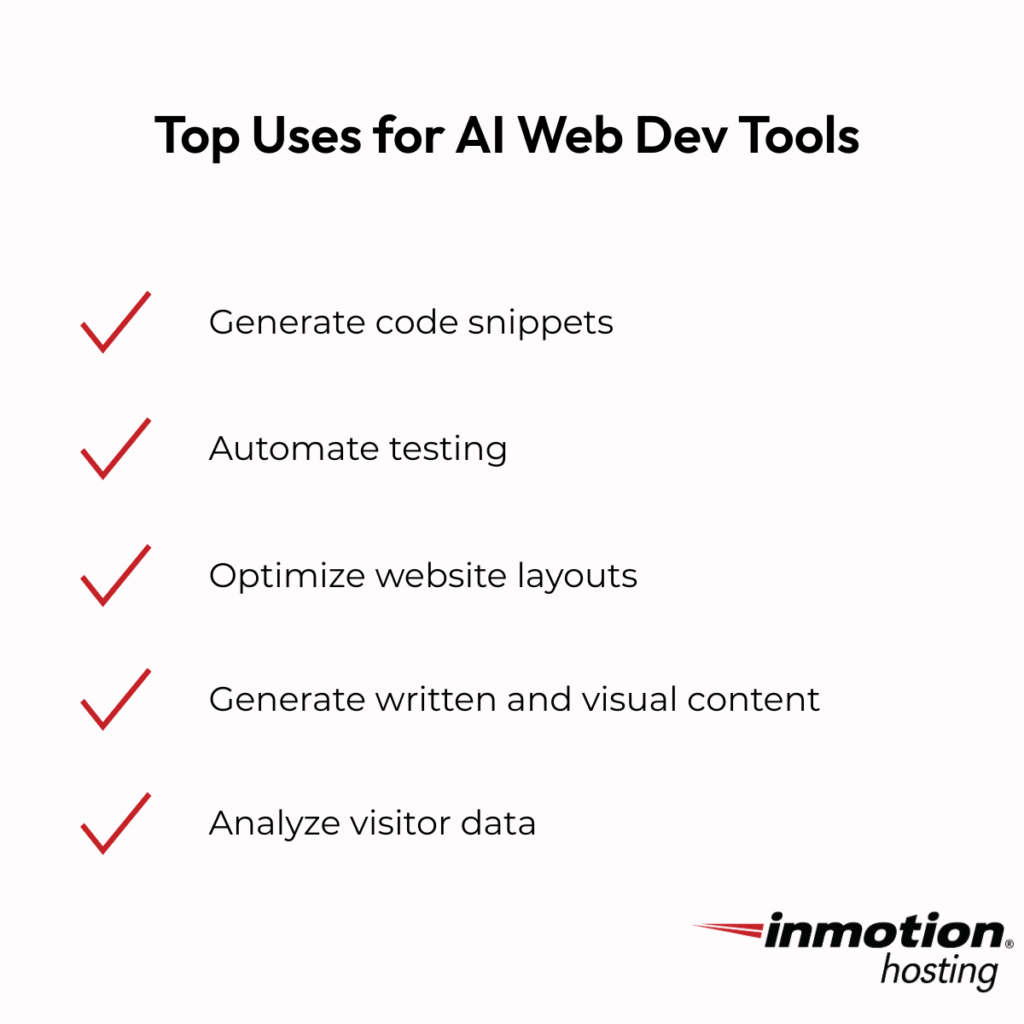
Draft with detail: Specific prompts generate useful designs.
Replace stock assets: Add your photos, CTAs, and voice.
Tune for speed: Compress images, lazy load, and enable CDN.
Refine with data: Test headlines, CTAs, and layouts.
This ensures your site loads quickly while staying aligned with your brand. Hosting turns builder output into visitor-ready pages.
With your site launched, AI chatbots provide the next layer of user experience. Let’s look again at how to make them both accurate and fast.
Chatbots on WordPress: Trust, Accuracy, and Speed
Launching a site is the beginning, not the end. Visitors expect support, and AI chatbots for WordPress offer a scalable way to provide it. Hosting choices again determine whether the experience is smooth or frustrating.
Keep your bot grounded with content from your FAQs and policies, add guardrails for sensitive topics, and protect site performance with caching and timeouts. Privacy matters too; don’t log personal data unnecessarily. The goal is fewer tickets, higher conversions, and a stronger brand.
When done right, chatbots extend your team instead of replacing it. With customer support running smoothly, the next focus is ensuring your infrastructure stays strong under pressure, which brings us back to log analysis.
AI for Branding: Keep Your Look and Voice Steady
Branding grows harder as your business scales. AI tools keep tone, visuals, and CTAs consistent, while hosting ensures they display smoothly across devices. This combination builds trust and recognition.
With the right branding guide in hand, AI helps you:
Blog content outlines and drafts.
SEO keyword placement and meta tags.
Image suggestions aligned with your palette.
CTA design and consistency checks.
Hosting ensures these improvements reach users without lag or errors. Together, they keep your brand professional and familiar.
Consistency gives you room to explore the bigger AI landscape. Let’s step back to see how the categories fit together.
By now, you’ve seen examples of AI in action. Tools fall into categories: builders, chatbots, log analysis, and branding helpers. Each has unique strengths and limits.
Website builders focus on speed and affordability. They allow businesses to launch professional websites quickly and at lower costs than traditional development. This makes them ideal for startups or small teams that need a strong digital presence without long timelines or big budgets.
Chatbots provide instant support and help reduce customer service tickets. By answering common questions automatically, they improve response times while freeing human agents to handle complex issues. Their success, however, depends on accurate data grounding and hosting infrastructure that keeps them responsive.
Log analysis tools deliver predictive monitoring and stronger security. Instead of combing through raw server logs, AI-powered systems highlight anomalies, detect potential risks, and summarize findings in plain language. This makes uptime more predictable and helps businesses address problems before they affect customers.
Branding tools strengthen consistency across visuals and voice. They check colors, logos, tone, and CTAs to ensure all content matches the established brand identity. For growing businesses, this creates a unified experience that builds trust with customers over time.
Hosting underpins all of them with speed, uptime, and security. Knowing the landscape helps you choose the right mix for your business.
With tools mapped out, the next step is setting strong hosting defaults. This ensures each AI feature runs smoothly from day one.
Day-One Setup: Fast, Safe Defaults
Tools are only as good as the hosting that powers them. Setting strong defaults protects performance, reliability, and security. These basics keep your AI tools efficient and safe.
Performance checklist:
NVMe storage
HTTP/2 or HTTP/3
Page + object cache (Redis)
CDN for static assets
WebP/AVIF image pipeline
Reliability checklist:
Uptime monitoring + alerts
Automated backups with restore tests
Staging that mirrors production
Security checklist:
TLS + HSTS
WAF rules and rate limits
Secrets in env variables
TLS log shipping with redaction
With these in place, your AI hosting setup is ready for real-world use. The next step is knowing the key considerations that help you avoid surprises as you grow.
Key Considerations for AI Hosting
Even with defaults, scaling AI requires planning. Resource sizing, privacy, lock-in, costs, and oversight all matter. Thinking about these early saves you stress later.
Resource sizing is a frequent challenge, since chatbots and AI models can generate sudden spikes in CPU, RAM, and disk usage. Planning with scalable infrastructure helps prevent outages during peak loads.
Privacy is another key factor. Logs and AI data often include sensitive information, so you must scrub personally identifiable data and redact critical fields before storage or analysis.
Vendor lock-in can become a hidden risk. Abstracting model calls and designing systems to swap providers when needed ensures you keep flexibility as AI platforms evolve.
Cost control should not be overlooked. Monitoring usage, setting spending caps, and reviewing billing dashboards regularly helps avoid surprise expenses as workloads grow.
Human oversight remains essential even with advanced AI. Always review AI-generated outputs before publishing to ensure accuracy, compliance, and brand safety.
With considerations set, let’s move to practical rollout examples that show how to apply these lessons.
Example Rollouts You Can Follow
Theory provides the foundation, but execution is where the real value emerges. By using rollout templates, you can apply proven best practices without starting from scratch. Hosting supplies stability and performance, while AI adds intelligence that transforms those resources into business outcomes.
WordPress chatbot
Install plugin or widget shell.
Connect to the model endpoint.
Ground responses in FAQs and docs.
Add caching bypass for /chat/*.
Log interactions responsibly.
Log analysis sidecar
Deploy Filebeat/Vector.
Ship logs over TLS.
Enable anomaly detection.
Route alerts to Slack/email.
AI website builder
Prepare brand kit and ICP.
Generate draft.
Optimize assets.
Run A/B tests on CTAs.
By using these examples, you move from plans to real results. The final step is connecting everything back to hosting as the unifying layer.
How Hosting Ties It All Together
All of these examples point back to one thing: hosting is the common layer. It supports AI website builders, chatbots, log analysis, and branding helpers. Without strong hosting, AI features feel clunky or unreliable.
When hosting is built for speed, AI feels instant. When real people back your support, setup and recovery are smooth. Scalability and uptime commitments add accountability.
AI becomes less about hype and more about results. Hosting ties together every use case, turning ambition into performance.
Last Thoughts
AI helps you launch sites faster, support customers more effectively, catch issues earlier, and maintain brand consistency. Hosting turns these AI features into reliable performance. Speed, support, scalability, and accountability make the difference.
Start small with website builders or chatbots, then add log analysis and branding helpers. Scale from VPS to dedicated or private cloud as your needs grow. Hosting ensures AI remains a business advantage, not a burden.
When your infrastructure is ready, AI moves beyond hype. It becomes a practical tool for growth, stability, and trust.
Conclusion
AI helps you launch sites faster, support customers more effectively, catch issues earlier, and maintain brand consistency. Hosting turns these AI features into reliable performance. Speed, support, scalability, and accountability make the difference.
Start small with website builders or chatbots, then add log analysis and branding helpers. Scale from VPS to dedicated or private cloud as your needs grow. Hosting ensures AI remains a business advantage, not a burden.
When your infrastructure is ready, AI moves beyond hype. It becomes a practical tool for growth, stability, and trust.
FAQs On AI Hosting
Do I need GPUs to use AI on my site?
Not for most use cases. Many chatbots, recommendations, and content helpers run fine on CPU-based inference or external APIs. Add GPUs or vGPU when you prove a heavy, steady need.
Can AI slow my WordPress site?
Yes, if you render everything on the main thread or skip caching. Keep the bot in a lightweight service, cache all non-bot pages, and set sane timeouts.
Is AI safe for branding?
Yes, when you use brand rules, approve outputs, and keep a human editor in the loop. AI speeds the work; you protect the voice.
What about costs?
Set rate limits, cache allowed outputs, and monitor usage. Choose plans with simple scale-up steps so you don’t overbuy on day one.